
F45 CHALLENGE CAMPAIGN TRAINING
FOLLOW THE STEPS ON THIS PAGE!
2023 CHALLENGE DATES...
- Professional Video Shoot For Your Gym / Studio / Box
- 3 Month Digital Marketing Member Growth Campaign
- Total Prize Value Over £6k
January 23, 2023 – March 8, 2023 (GLOBAL)
May 15, 2023 – June 28, 2023 (NORTHERN HEMISPHERE)
August 28, 2023 – October 11, 2023 (GLOBAL)
October 23, 2023 – December 6th, 2023 (SOUTHERN HEMISPHERE)
CHALLENGE CAMPAIGN INTRO & THESIS
WHEN DO WE NEED TO START THINKING ABOUT THE CHALLENGE?
We need to have ads ready to run ideally 4 weeks, minimum 3 weeks before the challenge begins.
To allow us time to get the campaigns ready, we need to start pushing clients for their challenge info 2 weeks before we need to have everything ready.
So we need to get the ball rolling 6 weeks before the challenge begins.
6 Weeks Before Each Challenge Begins are the following dates...
May 15th Challenge
(Start Step 1 Below on April 3rd)
August 28th Challenge
(Start Step 1 Below on July 17th)
October 23rd Challenge
(Start Step 1 Below on September 11th)
(SAVE THE UNDERLINED DATES TO YOUR CALENDAR!)
STEP 1: SEND OUT CHALLENGE FORM TO RELEVANT CLIENTS
Copy the link on the right into an email and push the client to complete.
It is important we put urgency on this.
For example...
"In order to give us time to set up, check, test and get approved a challenge campaign to deliver effective results we need you to complete this form by the end of this week"
STEP 2: FUNNEL BUILD + WORKFLOWS
FUNNEL
If an F45 Challenge funnel is not already in the clients HL account - go to the 'Bullet Gym Template' HL account and copy one over.
Use the information submitted by the client when they have completed the form and complete the COP build.
When the challenge form is submitted by the client, the information is stored on the Challenge Info Spreadsheet in the Bullet Master Spreadsheet.
WORKFLOWS
If F45 Challenge Workflows are not in your client HL account, navigate to the Bullet Gym Template Account again and replicate the challenge workflows in there in the relevant client account.
TIP - have 2 tabs open!
WATCH VIDEO BELOW...
STEP 3: SET UP REACTIVATION EMAIL
If we are setting this up for a client who we have been working with for a while and we have a good bulk of non member / non purchased leads in the system...
... lets get them reactivated.
Find the Challenge RA Email Called 'F45 CHALLENGE - RA FOR EXISTING LEADS' - will either already be in your clients HL or find it in Bullet Gym Template
Edit and replace the graphic (Link to graphic in Canva is in URL box on the image in the email template)
Update the email accordingly
Advise your client on when is best to send it
Schedule in line with what is agreed.
STEP 4: ADS & CREATIVE
CREATIVE
Speak to the Bullet internal designer to see what challenge ad creative we have available
Ask the client if HQ have released any new challenge content we can use / edit
Find out if the client has any of their own challenge related videos
If we get any new content from bullets 2 and 3 above - task the Bullet graphic design team with the creation of some client specific client ads.
AD BUDGET CONSIDERATIONS...
See if you client wants to up their budget for a big challenge push
Run ads up to early on the Friday morning before the challenge starts on the following Monday
(This leaves scope for the MOP UP - more info further down)
AD COPY STRUCTURE RECOMMENDATION
Use all of the components now built into our checkout page to create something similar to the below...
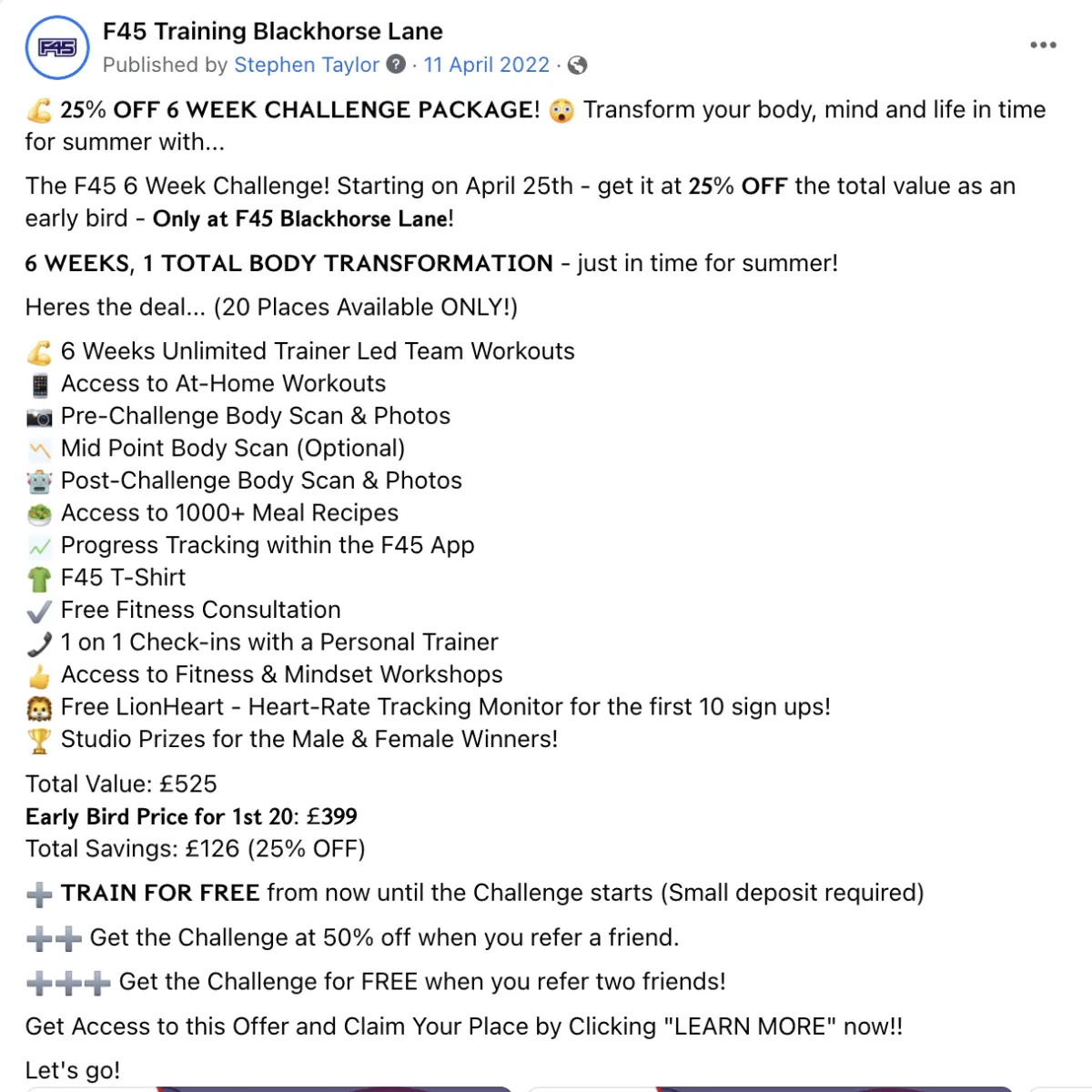
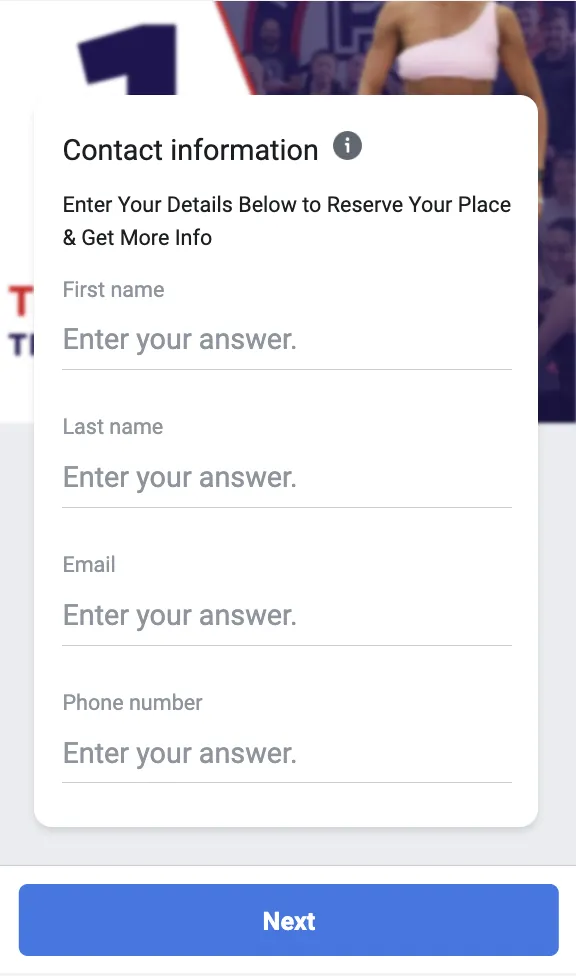
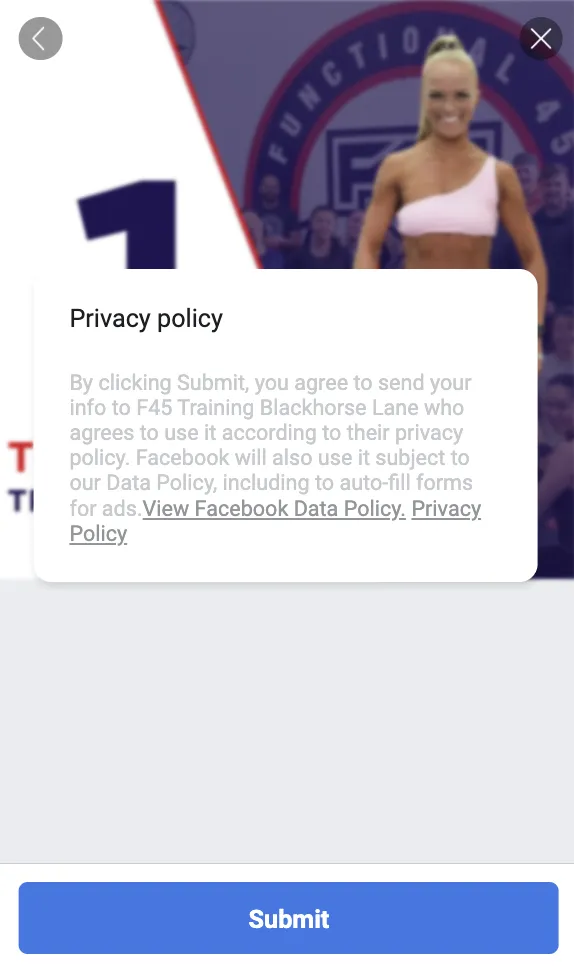
Lead Form Set Up (Recommendation)

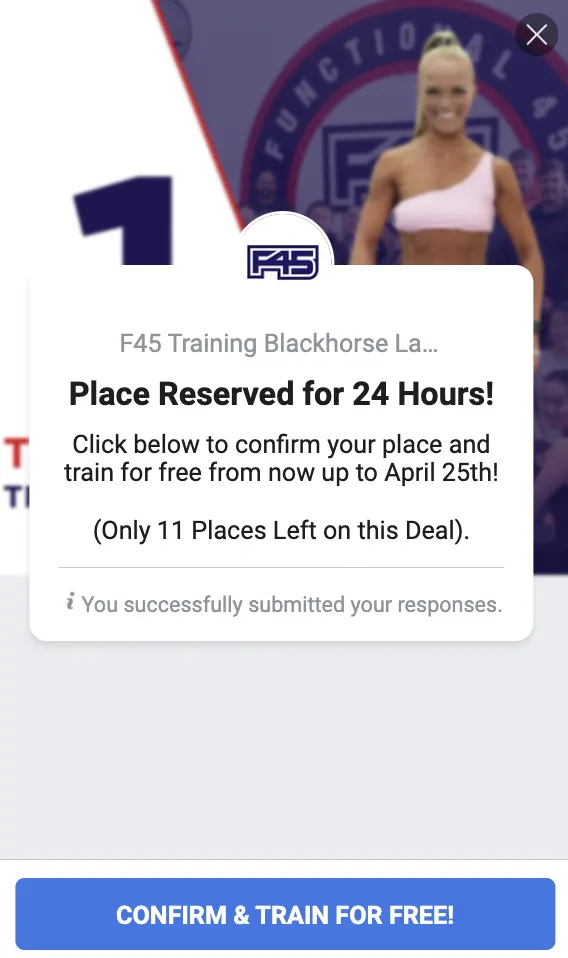
STEP 5: ADS OFF / COP FLIP / MOP UP.
ADS OFF - Friday morning / before Challenge Starts on the Monday
COP FLIP - Activate Split Test Version with no free training to 100% Traffic (more info below)
MOP UP - Edit & Schedule the Challenge Mop Up Comms (AC3)
CHECKOUT PAGE FLIP
MOP UP
+ CHANGE YOUR PURCHASE WORKFLOW ACCORDINGLY - DEACTIVATE THE DEPOSIT PAYMENT WORKFLOW & FACTOR THE CHECKOUT PAGE SALE TRIGGER INTO THE PAID IN FULL WORKFLOW
(ASK TECH SUPPORT IF YOU NEED HELP WITH THIS!)
WHAT NEXT?
Use the next week to set up a new trial or lead gen campaign / revert back to a previous campaign with new copy and or ad creative...
TIP - 21 Day Shred/Kickstart tends to work well immediately after a challenge campaign as it can be made to look very similar but a cheaper, less time consuming product / result in the eyes of the audience.
POTENTIAL PUSH BACKS FROM CLIENTS...
HOW DOES THE FREE PERIOD WORK WITH ROTA FIT?
Option 1: We don't use rotafit at all OR we just use it to create the account - client can add product accordingly from when purchaser wants to start. (BEST OPTION)
Option 2: We change the campaign whereby the free period before the challenge starts is 1 week or 2 weeks, we create the account and assign a comped 1 or 2 week trial to it using Rota Fit. The campaign will then have to change from ' Train for Free straight after to payment' to 'Train for free for XX time from XX date up until the challenge starts. This then has implications for the ads campaign, because as soon as we are one or two weeks away from the trial the offer begins to depreciate which creates a potential need to change the ads only to promote the Early Bird Price with no free training element on the offer.
HOW DO WE CHARGE THE FULL BALANCE ON THE DAY THE CHALLENGE STARTS?
The recommended play here can be found in the challenge presentation slides on slides 20 & 21. This should be your first port of call as a solution.
A secondary option is below.
They go into their Stripe account, find the customer they want to charge, click on them, on the payments section that appears they then need to click 'create' in the top right. Then they would enter the amount and the statement descriptor and click 'Create Payment'. It will process immediately. Send them a loom video demo to explain.
I DON'T WANT TO RUN THIS STYLE OF CAMPAIGN FOR THE CHALLENGE, WHAT OTHER OPTIONS ARE THERE?
Let them know you will escalate and come back with solutions. Speak to the Bullet Customer Success Manager for ideas and let the Marketing Director know the situation before anything is confirmed.